iTi-X engineering showcase
Blocktopia
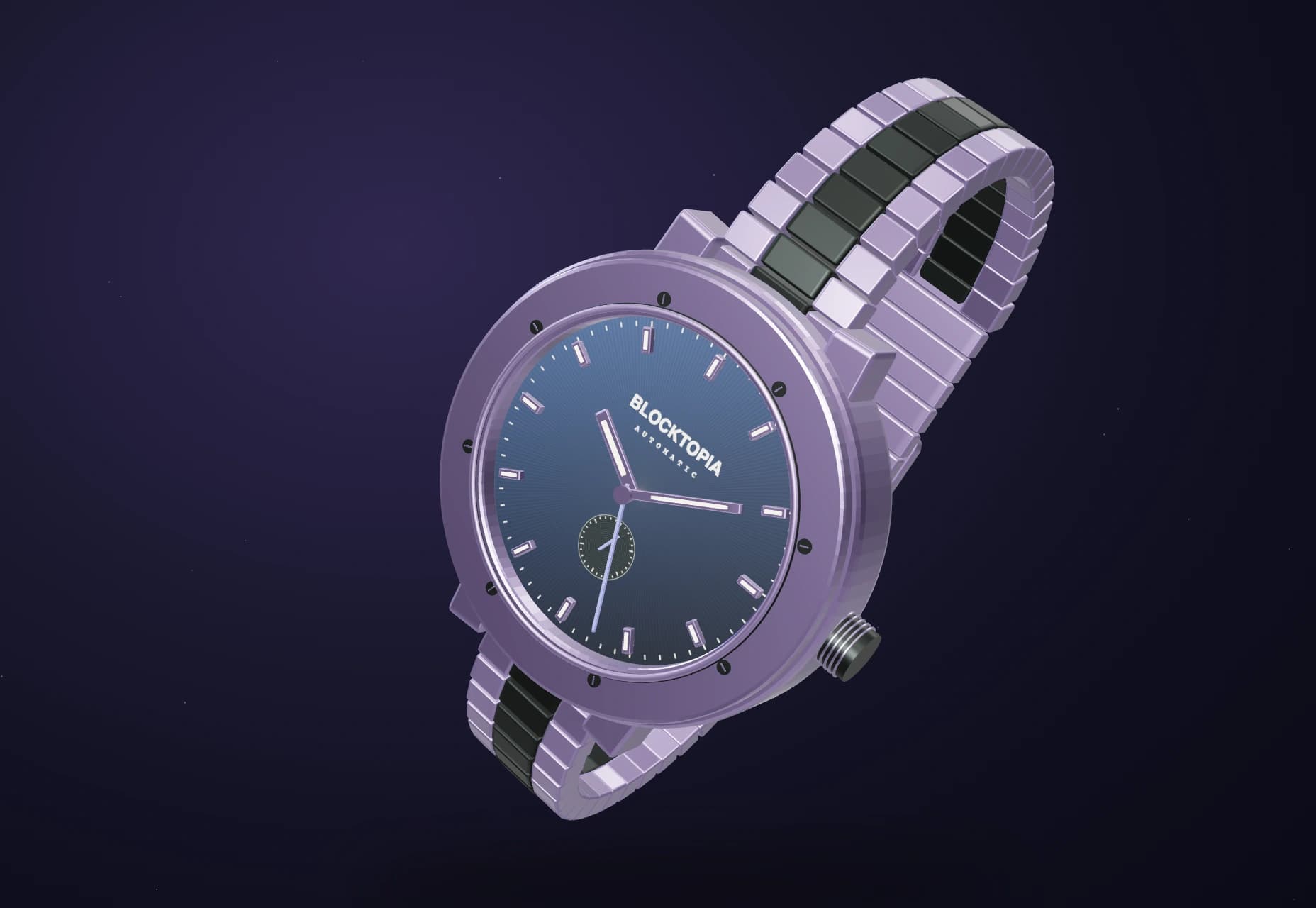
Explore the interactive 3D studio we built with Strapi, Next.js and Three.js. Turn an automatic watch in the light, then open the case to inspect its movement.
Try Strapi in your own studio Strapi
 Next.js
 Three.js
Inside the watch studio
Monolith, Orbit and Fragment share an automatic movement. Change the case shape, switch between alloy, ceramic and satin, or adjust the body and accent colors. Camera and motion controls let you stop on a detail.
Blocktopia also presents four concept projects, including Solenne’s fragrance identity and Northbound’s rail wayfinding.
See how teams use StrapiTry Strapi in your own studio
Edit a private copy of Blocktopia in Strapi. Change the homepage headline, preview your draft, then publish it to your studio’s website and see the change live.
Enter your email address to receive a one-time verification code. Once your studio is ready, you can use it for up to 30 minutes.
What does Strapi change for your team?
In Blocktopia, choosing the watch that opens the studio is a publishing decision. Designing a new watch is an engineering decision. Follow a change from the perspective of the person responsible for it.
How a preset becomes a scene
Strapi provides the opening edition. Once it reaches the browser, the visitor controls the watch. Expand a step to trace that handoff.
StrapiPublish the edition
An editor selects the opening preset and orders the available editions. Each preset pairs one of the supported case shapes with a finish, colors, camera, lighting and motion settings.
Strapi content APINext.jsCheck the scene
The Next.js server retrieves the published showcase from a versioned API. Zod checks the response and filters invalid presets. The page sends the initial selection, description and poster to the browser.
Next.js component boundariesReactChange the view
Selecting ceramic updates the visitor’s copy of the preset. Camera, palette, animation and exploded view also stay in memory. Reset scene returns to the opening edition, and reloading starts a fresh visit.
Three.js + WebGLDraw the watch
Three.js builds the bracelet, case, hands and dial from geometry in code. It applies the selected material, positions a perspective camera and draws the result onto a canvas through WebGL.
Three.js WebGL renderer
Rendering on a smaller screen
Next.js delivers the description and poster first. Three.js loads as the watch nears the viewport, shares geometry across bracelet links, and targets fewer frames on narrow canvases. A lost graphics context leaves the poster visible.
Control over movement
Rotation buttons let visitors inspect the watch with a keyboard. A reduced-motion preference changes how the layers separate and how the animation starts. A visitor can also pause the scene at any point.
A defined scope for editors
Editors combine supported geometries, materials and colors. A new finish combination can be published in Strapi. A new case silhouette requires a frontend release. The server validates the preset before passing it to the renderer.
Where does a 3D view earn its place?
Choose an interaction that helps someone make a decision. The watch studio suggests two ways an iTi-X engagement could start.
Compare product finishes
A furniture maker could present a chair in several finishes under the same light. Someone choosing between two surfaces could rotate the chair before requesting a sample. An orderable configurator would also need catalogue rules for valid combinations.
Read about headless publishingExplain a hidden assembly
An equipment supplier could show where a seal sits beneath a cover. An exploded view makes the placement visible from several angles. Written instructions can carry the part numbers, service sequence and accessible alternative.
Explore content-driven 3DBuild an interactive experience with iTi-X
Show us the product, the choices your customers make and the detail they need to see. We’ll help scope the model, the controls and the publishing workflow.